Claims journey: decide, prepare, submit, and follow up (US)
Six-stage US member-filed claim path: wizard, COB, self-submit, matching bills to EOBs, and billed-vs-typical checks. Payer remains the source of truth.
This hub ties together education and in-product flows for claims you file yourself (for example out-of-network care, cash pay, or international visits). It is not medical, legal, tax, or insurance advice. Your plan documents and payer decide coverage, timelines, and appeal rights.
The six stages
- 1 — Before you file
Confirm you actually need a member-submitted claim (in-network providers often bill for you). Learn typical filing windows and what to gather: itemized bills with codes, proof of payment, member ID, and any payer form. See out-of-network claims and EOB vs bill vs superbill for vocabulary.
- 2 — Using the file-claim wizard
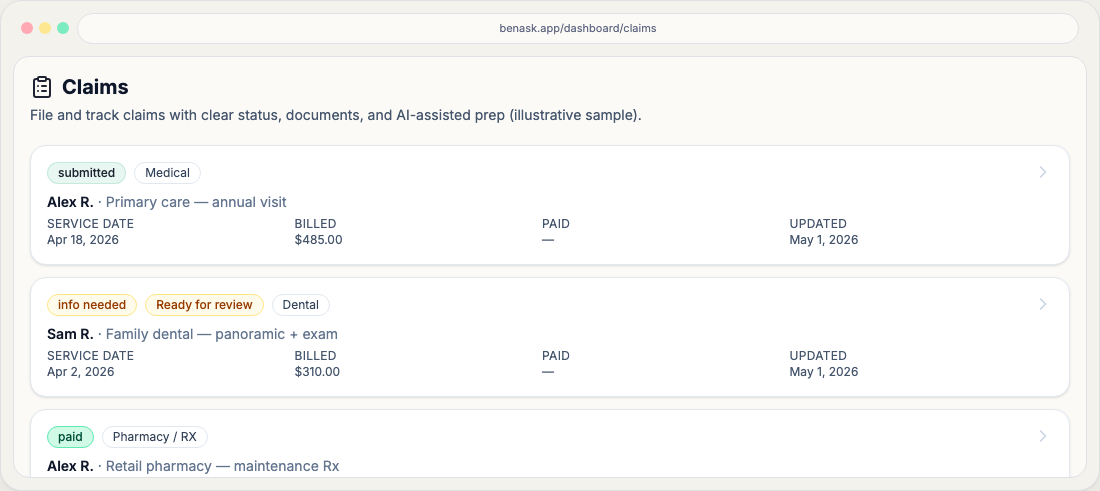
Open New claim (Dashboard → Claims). The nine steps are: benefit type → upload documents → patient → plans & COB → service details → codes & notes → carrier playbook → review & validate → submit (assist). Pick the claim type that matches the expense. Submit (assist) ends with Mark ready to submit & open claim, which sets workflow Ready to submit—BenAsk still does not transmit to the payer in Phase 1. Document-processing badges on the list mean intake is running, ready for your review, or needs manual entry.
- 3 — Coordination of benefits (COB)
When two plans could cover the same person (for example a child under both parents’ plans), determine primary vs secondary using your materials—often the birthday rule for dependents. BenAsk can track a primary and secondary submission on one claim. Read coordination of benefits and file secondary after you have the primary EOB when your plans require it.
- 4 — Submitting to the payer yourself
Use the claim detail Actions tab for portal deep links, downloadable PDFs/mailers, fax targets, and copy-ready email drafts—you are still the sender in Phase 1. After the payer acknowledges receipt, set workflow to Submitted with the Workflow status buttons on that tab. The wizard Submit (assist) step only records your assist-only acknowledgment and opens the claim in Ready to submit; it does not replace the payer submission itself. Payer narrative tips live under Carrier claim guides when we publish a guide for your carrier and claim type.
- 5 — What to expect after you submit
Once you have transmitted the packet to the payer and recorded Submitted in Actions, claims may take days to appear in the payer portal and weeks to process; your playbook may list a typical SLA—treat it as guidance, not a promise. When an EOB arrives, attach it to the claim. In-app inbox or email may notify you on some transitions; always verify in the payer portal. See What “Submitted” means and read your EOB.
- 6 — Reading the response and acting on it
Treat the EOB as a summary of how the payer applied your plan—not a bill by itself. Compare dates, provider, allowed amounts, and your responsibility to the provider’s statement before paying balances. Pay the EOB you-owe amount, not the billed sticker. On Documents, Linked / Possible match pair a bill with its EOB; a Visit chip groups same-day facility bills that are still separate claims. Inbox can remind you of due dates and offer an assist-only Draft message you send yourself. A surprise-billing flag is a review prompt, not a legal determination. On claim Overview, BenAsk can show billed vs typical in-network rates and a deductible-aware banner when the gap may change what you pay (list badge May affect what you pay). Soft issues (coding) may go back through the billing office; formal denials follow your plan’s appeal rules. Start with read your EOB and EOB vs bill vs superbill, then appeals or why claims are denied. Use Analysis on the claim for intake or EOB tools when enabled.
Workflow status chips (quick reference)
Each workflow status has a short article (for example Draft, Ready to submit, Denied). Use them when you need a one-screen definition; use this journey when you want the full sequence.
Lifecycle tabs vs workflow
Open / Needs input / Closed / Archived are lifecycle buckets for filtering your list. They are not the same as workflow status—see Open lifecycle and sibling articles.
FAQ
- Does BenAsk file the claim for me?
Not in Phase 1. BenAsk prepares materials and directions; you submit to the payer using their approved channels.
- Where do payer-specific tips show up?
In the wizard on Plans & COB, Carrier playbook, and Submit, and on the claim detail Actions tab—when a carrier guide exists for your primary payer and claim type.
- What does “May affect what you pay” mean on a claim?
BenAsk compared the billed amount to typical in-network rates using your remaining deductible and plan type (HDHP, copay, or coinsurance). Inbox is created only for that member-impact case—not when public rates are missing or the extra billed charge is mainly an insurer write-off.
- Will BenAsk send a billing letter to my plan?
No. Draft message opens Chat with a letter you copy and send. Chat does not persist a billing-letter analysis on the claim, and Inbox links currently pass the bill document only.