Claims tab: Closed
Closed hides finished work from the Open tab while keeping read-only history, timeline, and attachments for audits or taxes.
Lifecycle tabs group claims for Closed. They describe whether BenAsk expects ongoing work from you, not the final payment decision from insurance.
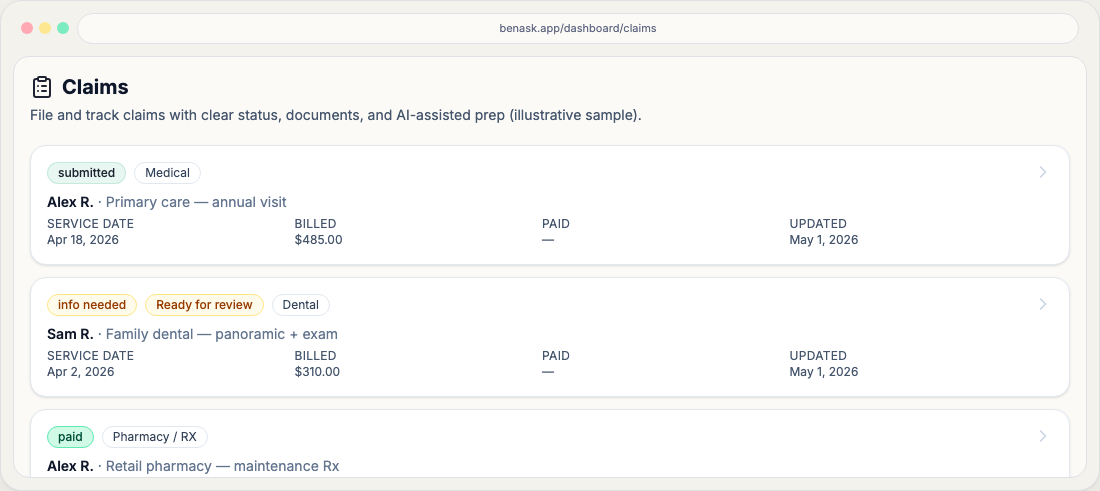
See how lifecycle fits the overall path in Claims journey—workflow chips describe where you are on a single claim; lifecycle buckets help you filter your list.
How lifecycle relates to workflow
Workflow status is the fine-grained step (for example, submitted or info needed). Lifecycle is the broader bucket used for filters and tabs—for example, Needs your input often aligns with workflow states that require documents or answers.
Practical tips
- Use lifecycle tabs to focus on open work versus historical claims.
- Archive older claims when you no longer need them in your default views.
When to choose Closed lifecycle
Move claims here after balances reconcile or the payer issue is fully resolved—workflow can still show Paid or Denied for historical accuracy.
- Close only when EOBs tie back to the financial story you expect for taxes or reimbursements.
FAQ
- Why is my claim “open” but workflow says submitted?
Lifecycle and workflow answer different questions. Submitted claims can remain open until you close them or record a final carrier outcome.